01 / Combine
When they belong together
Hold a heading and drag it onto another group
Let go to bring them together
Two groups, ready to bring togetherPhotos and notes, now in one group
 Hitotsuzuri
Your everyday journal for iPhone
A day you remember comes to life again
Photos, notes and places, gathered along a timeline
Bring them together or split them apart
Shape the memories the way you remember them
A home for your everyday memories
 15:08 The long way home
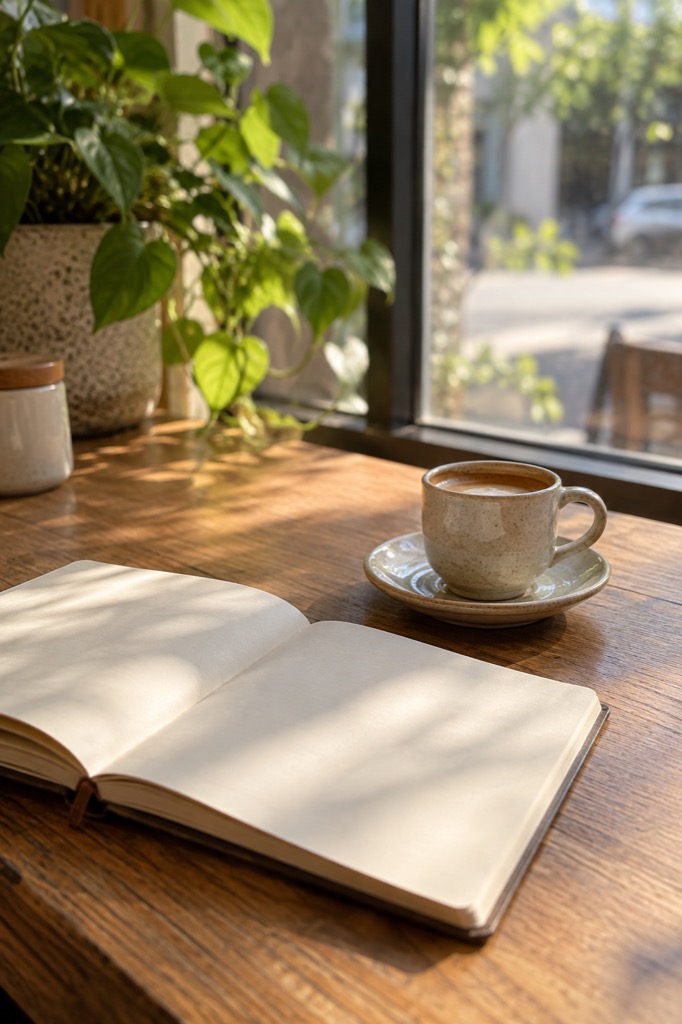 12:30 My usual window seat
Nothing special happened
but it was a good day
Your days leave little traces
A photo in your library or a few words in a note
Gently brought together in the order they happened
No daily writing habit required — just your own pace
Your memories, your way
Records close in time and place form groups automatically
From there, make them your own
Photos, notes, audio and places
Arrange them into the afternoon or journey you remember
01 / Combine
Hold a heading and drag it onto another group
Let go to bring them together
Two groups, ready to bring togetherPhotos and notes, now in one group
02 / Split
Swipe a record right inside a group
When the scissors reach the edge, it splits above that record
Make a cut before the journey homeThe café and the walk, each in its own group
Your original records and dates stay intact
Undo the most recent edit if you change your mind
Lift your finger partway through a cut to cancel
Practice with sample records in the app’s guide
These illustrations use fictional records. The controls here only change the illustrations.
Edit groups during the 2-week trial or after a one-time purchase
Your edits remain when the trial ends
A day with Hitotsuzuri
A quiet Sunday out with a book
Sunday · 12:30You open your book by the window
Take a photo of the light
Jot down a line you want to remember
Imported photos and the notes you write appear on the same timeline.
Sunday · 15:08You take the long way home by the river
Follow your photos and places
and the day begins to unfold again
Bring photos and notes together into a moment and give it a name. Automatic location recording is available when you allow and enable it.
One weekend you search your notes for “reading”
That afternoon comes back to you
and you add a thought from today
Inside the app
Everyday moments joined by a fine thread
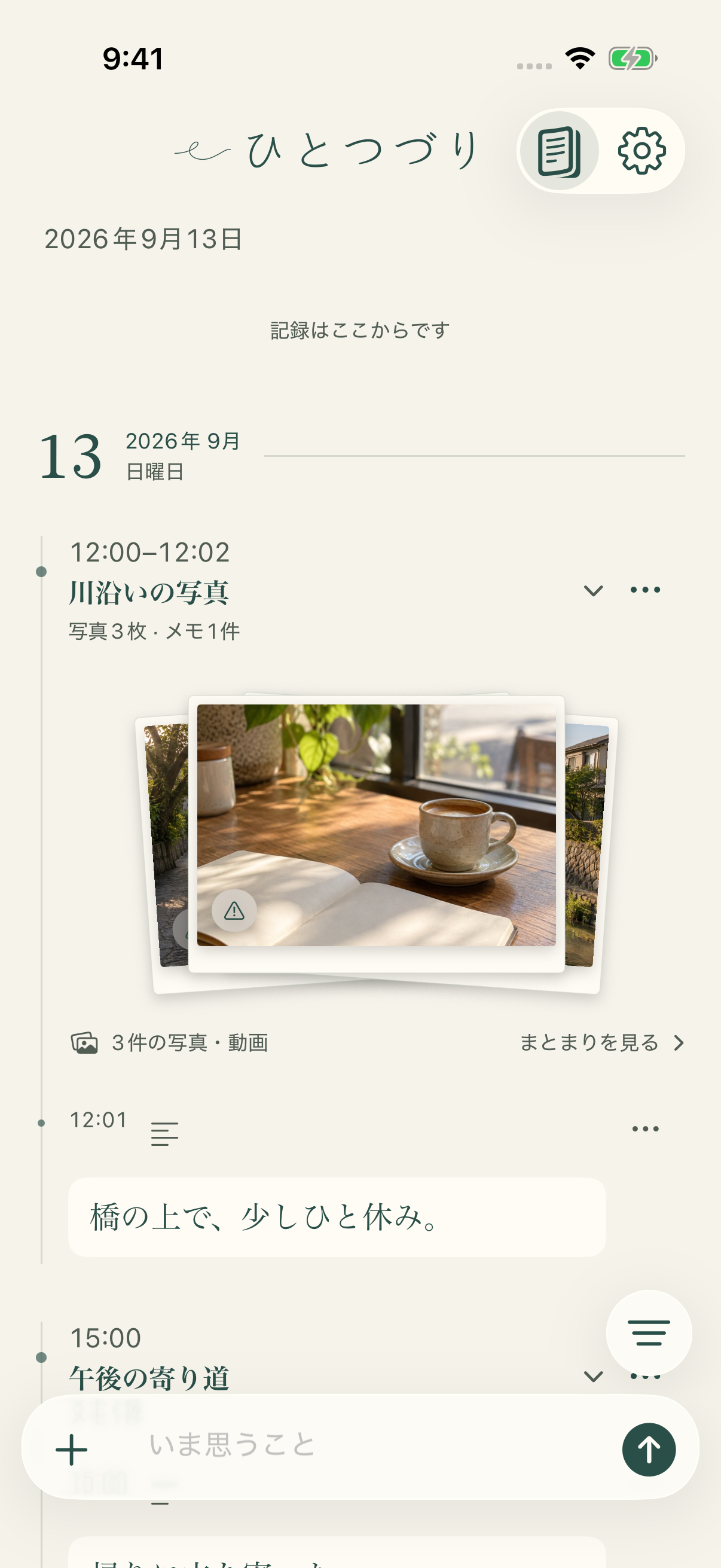
Photos and notes come together in moments. Scroll back through the rhythm of your days.
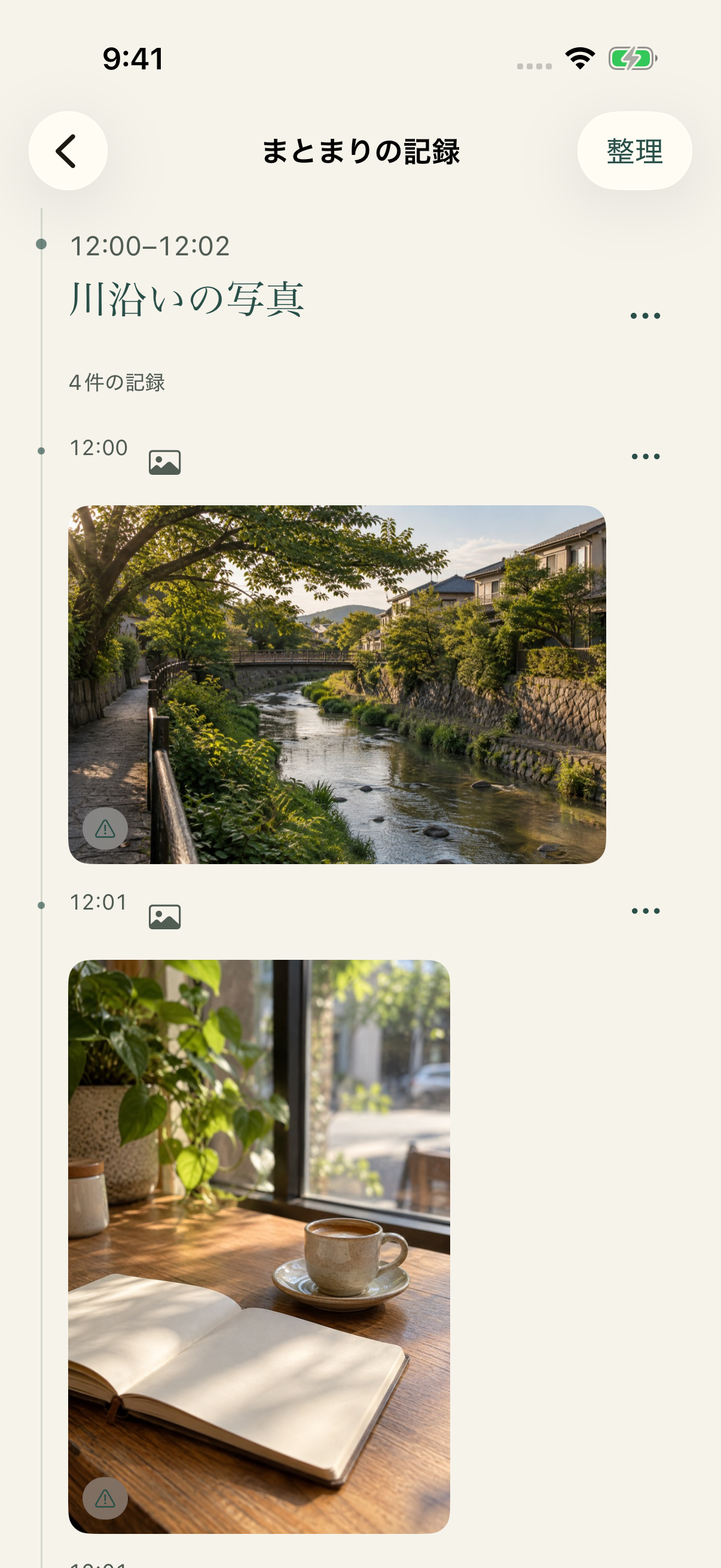
Open a moment to follow its photos and notes in order. Add a thought as a memory returns.
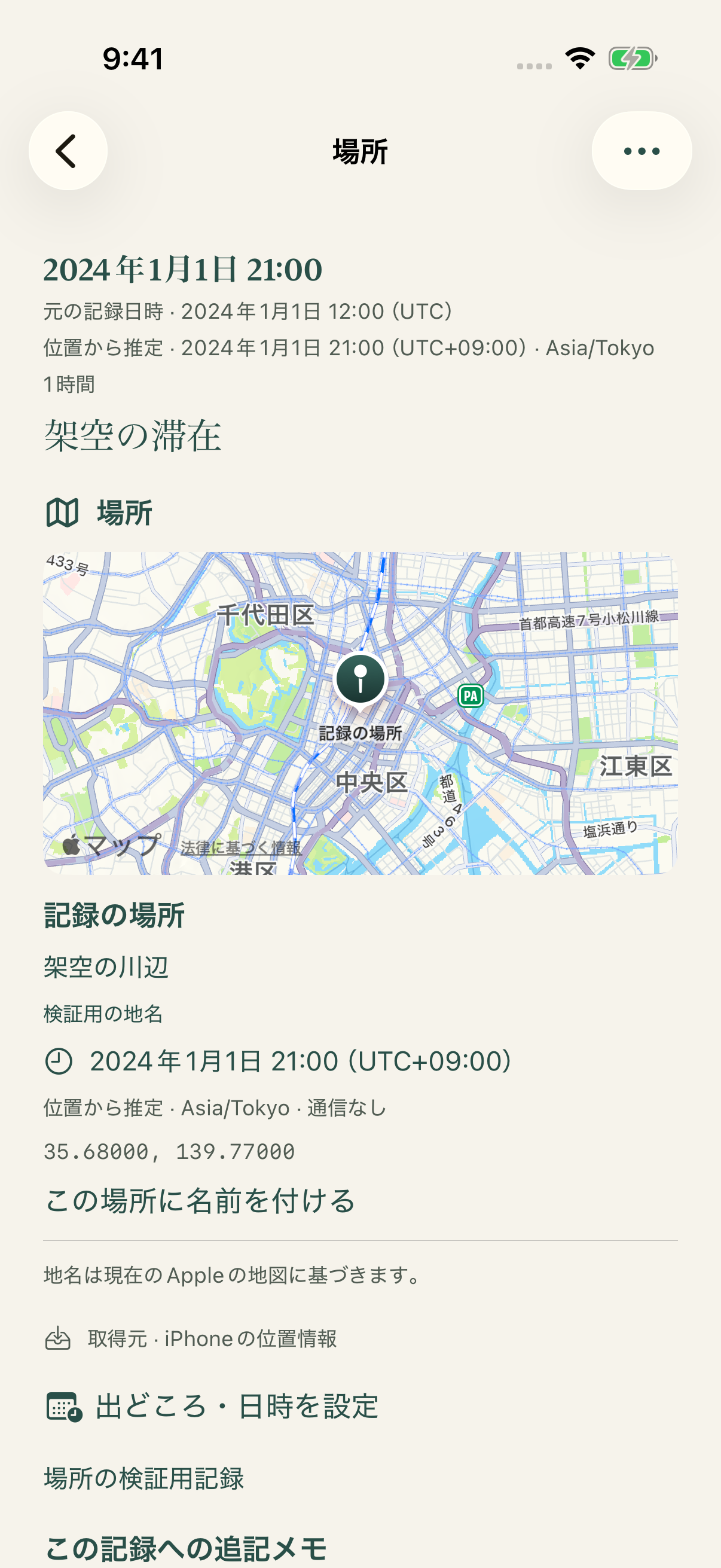
Revisit a location on a map. Enable Apple Maps when you want to use it.
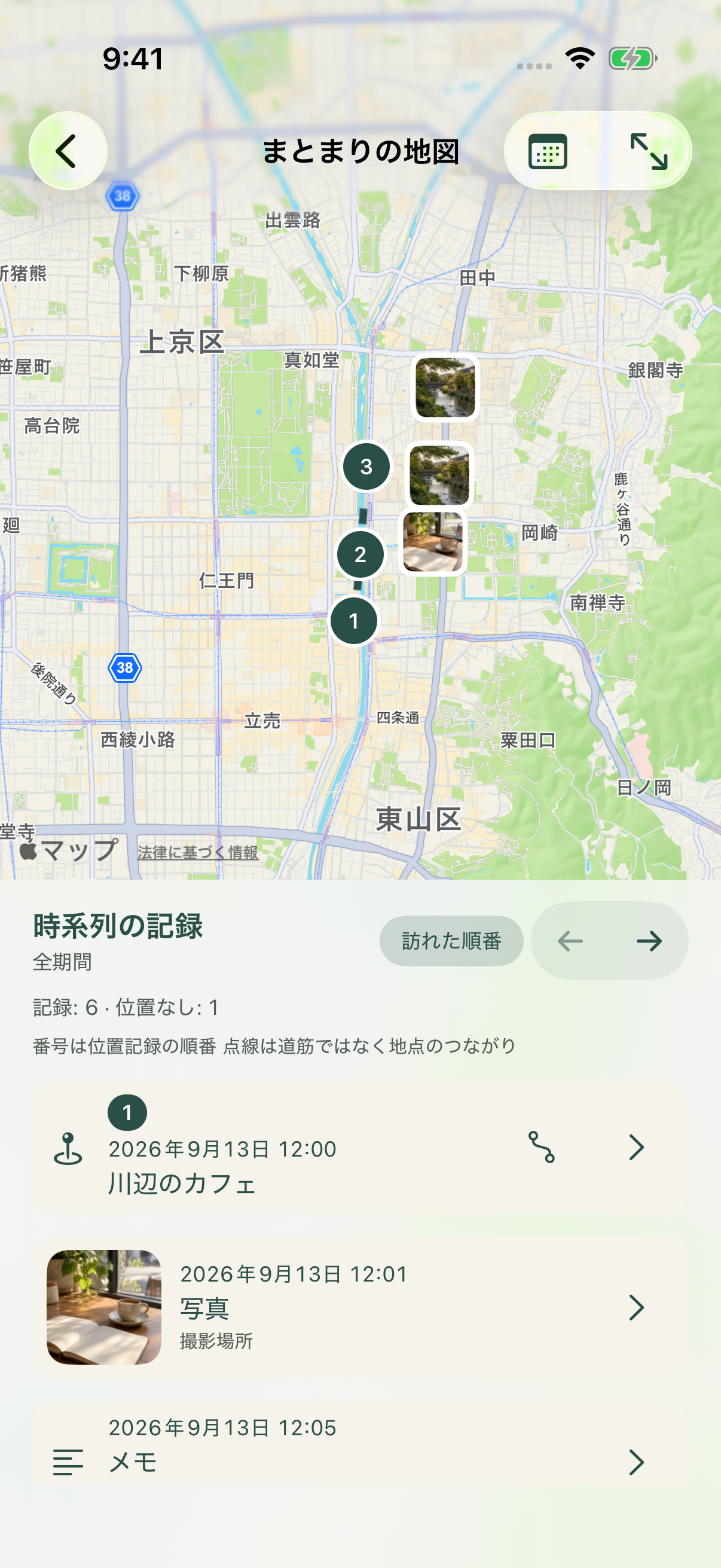
Follow the order of recorded places alongside photos and notes. Select a place or a record to see where it belongs. Dotted lines connect recorded places; they are not a recorded route.
Screens are shown in Japanese with sample records. Select an image to view it at full size. The app supports Japanese and English.
Records are stored and searched on your device. They are not sent to a developer server or external AI.
Allow access to photos, your microphone and other features when you need them. Optional maps and place lookup send coordinates or the map area to Apple.
Export an encrypted backup to a location you choose. Keep its recovery code safe. Original photos and videos are not included.
Begin with the little things you already keep
Download on the App StoreAvailable in Japanese and English.
Questions? Get in touch